Invoicing
Turn logged time into invoices without switching tools. Billing profiles, line items from time entries, a full invoice lifecycle, and online payments via Stripe and PayPal, built into your workspace.
Try invoicing freeTime → Invoice in one step
Pull billable time entries directly into invoice line items. No manual re-entry, no spreadsheet exports. The hours you tracked become the invoice you send.
Billing profiles
Define bill-from and bill-to addresses per client or project. Invoices auto-populate with the right company details, payment terms, and contact info every time.
Billable rate inheritance
Set a default rate at the client level. Override per project, per class, or per user. The right rate always flows to the right line item automatically.
Invoice status tracking
Mark invoices as Draft, Sent, Paid, or Overdue. See your full AR pipeline at a glance, and run the Invoice Aging report to know exactly what to chase.
Role-gated access
Invoicing is visible to Admins and Owners only. Members see time, not financials. Clean separation between operational and billing access.
PDF export
Export any invoice as a clean PDF ready to email to a client. No watermarks, no branding you didn't choose.
Estimates that turn into invoices and projects
Quote labor, materials, mileage, and fixed fees in one estimate, email it with a private link, and let the client accept from their phone. Then invoice it in full or take a deposit and bill the remainder later, or start a project whose budgets mirror the quote. Your costs and margin stay visible to you and never to the client. See the Estimates and Quotes docs.
Get paid online with Stripe or PayPal
Connect your own Stripe account, your PayPal business account, or both, and every emailed invoice includes a secure "Pay this invoice online" link. Clients pay by card on Stripe's hosted checkout or with PayPal on PayPal's hosted page, the payment is recorded against the invoice and its status flips to Paid automatically, refunds included. See our Integrations page for details.
Books that stay in sync with QuickBooks Online
Push any invoice to QuickBooks in one click, or automatically when it's sent. Clients map to QuickBooks customers through an explicit picker (no duplicate customers from name-matching), payments you record post to QuickBooks, and a payment recorded in QuickBooks marks the invoice paid here within seconds. Every push and pull lands in a per-connection sync log. See the QuickBooks Online Sync docs for setup.
Create and send invoices without leaving the app
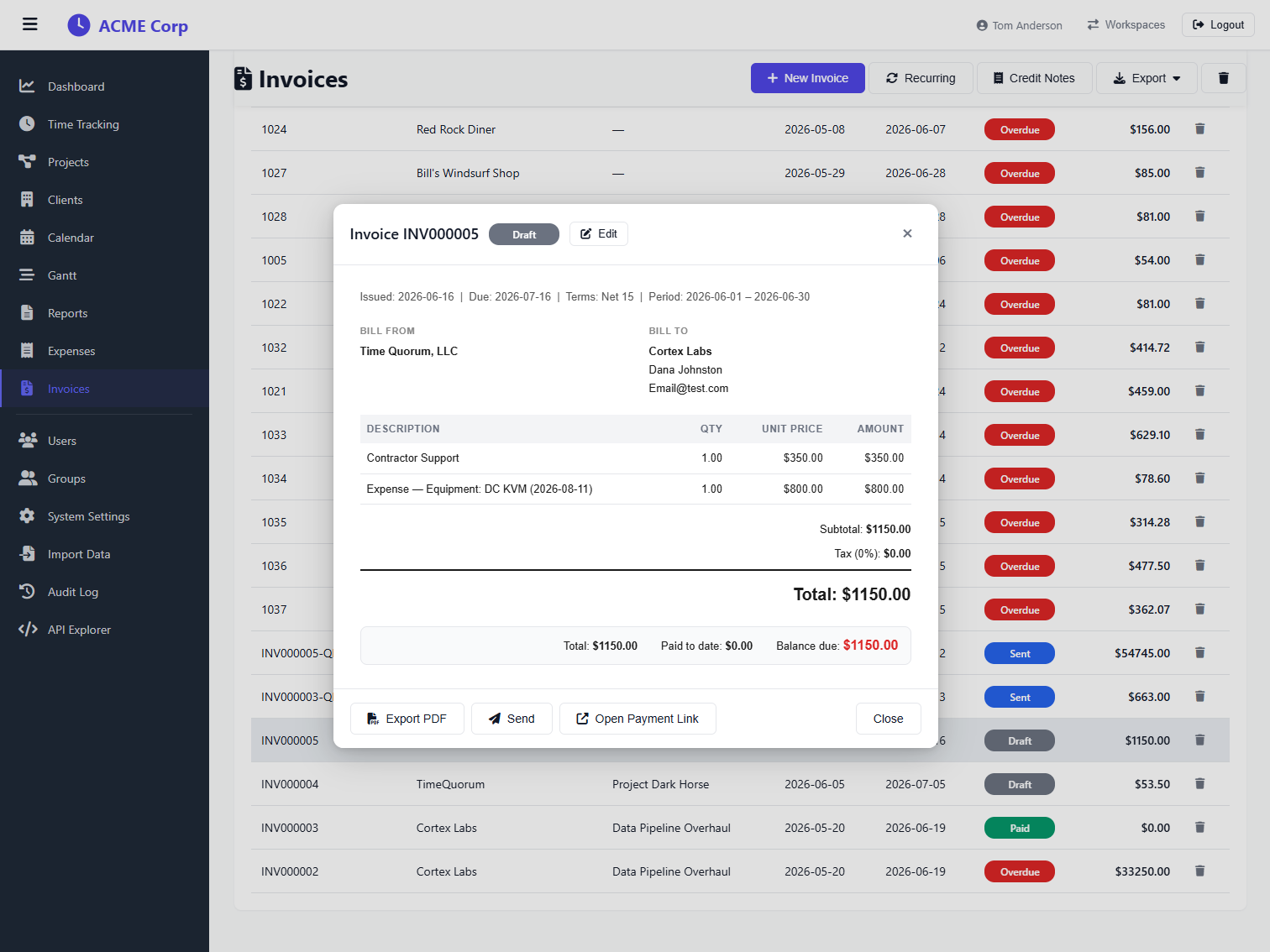
Paid online. Booked in QuickBooks.
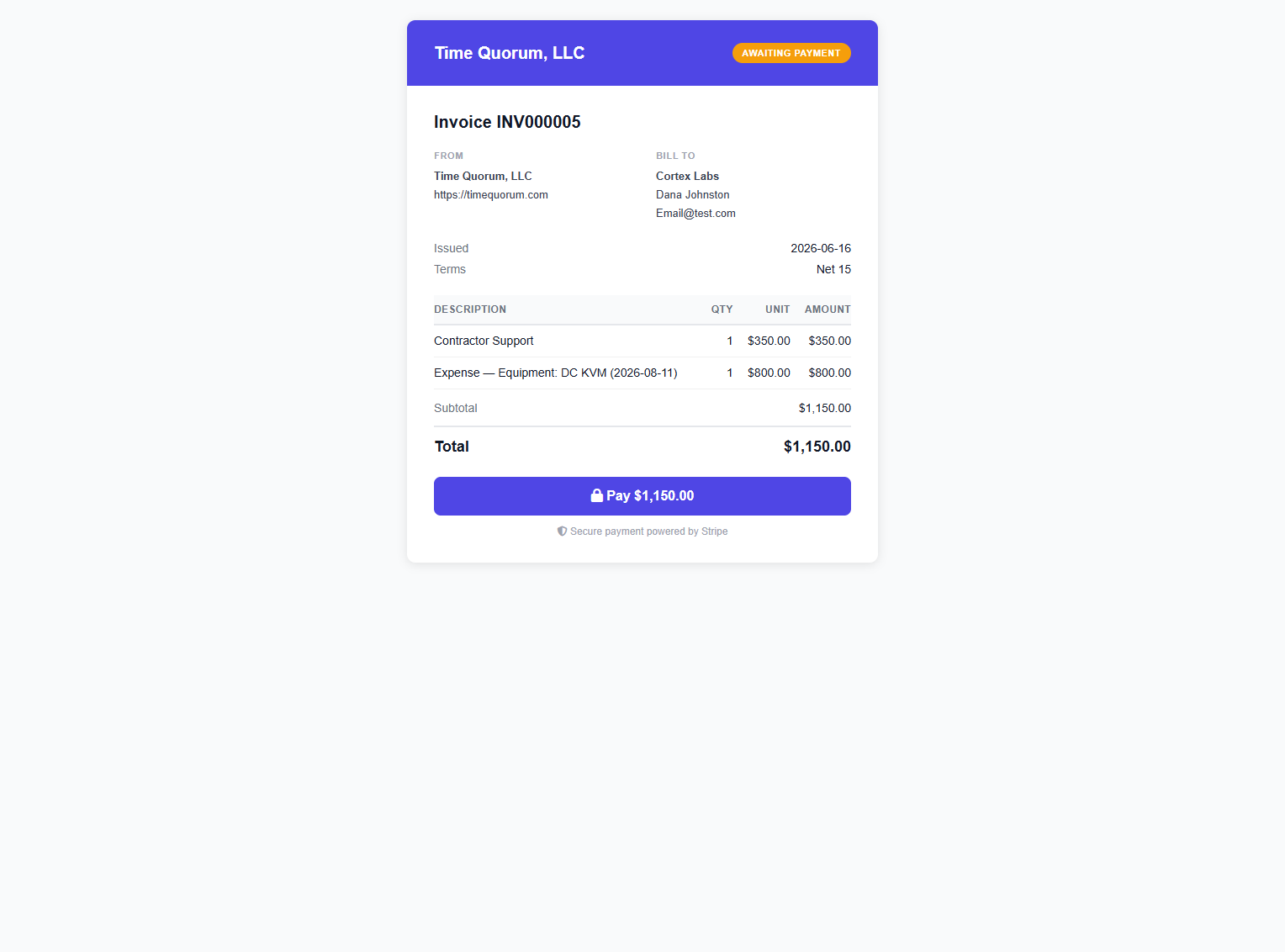
Every emailed invoice carries a secure pay link, clients pay by card and the invoice flips to Paid automatically.
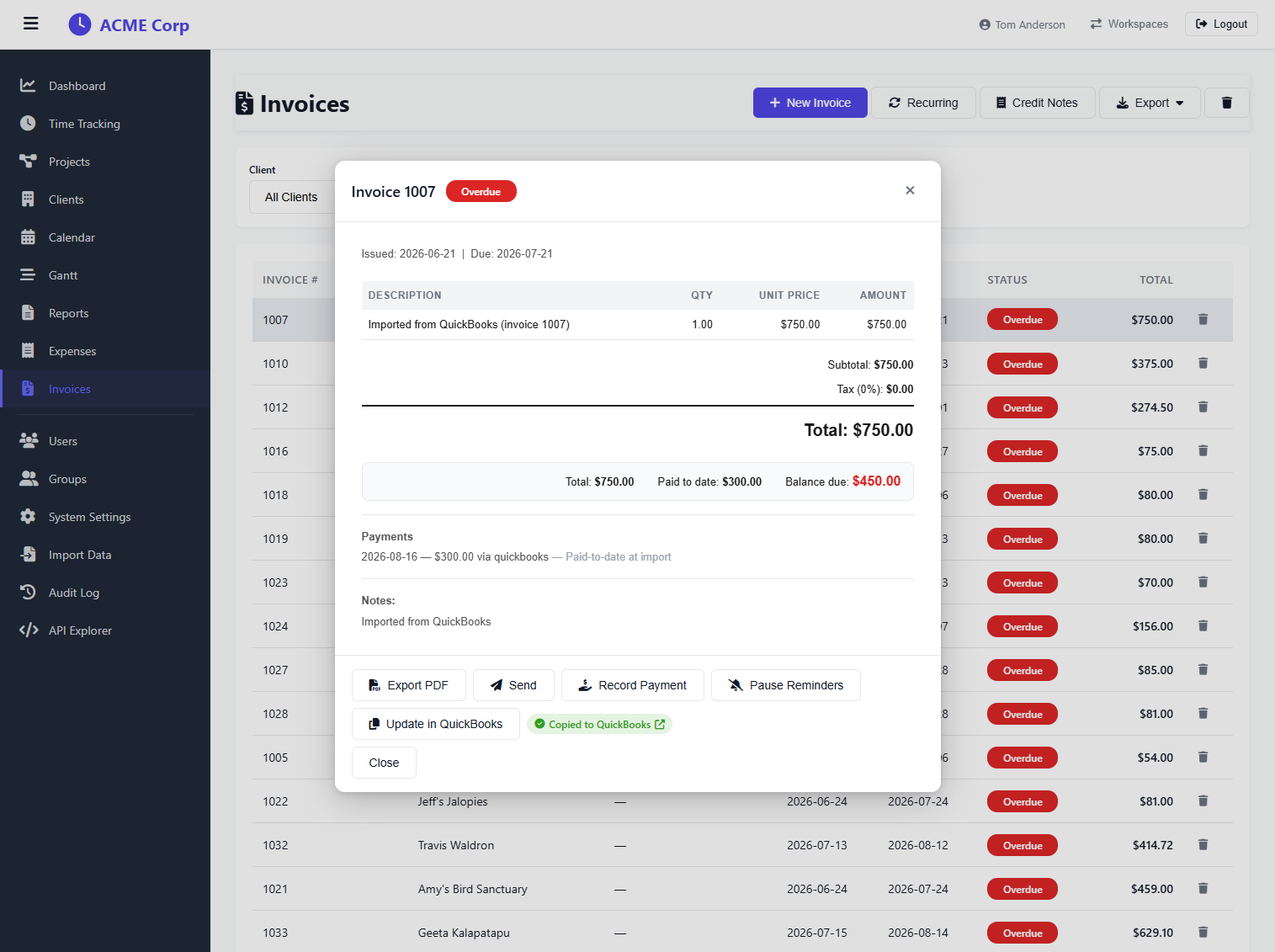
Invoices copy to QuickBooks in one click, and stay linked, so later edits push with "Update in QuickBooks".
Invoice from your time data: not from memory
Invoicing is available on Professional and above. Start your 30-day free trial.
Start 30-day trial