Project Hierarchy
Four levels of structure that match how professional services actually operate. Not how some SaaS vendor decided everyone should work.
Start organizing freeThe structure at a glance
Each level rolls up cleanly into the one above it. Time entries live at the Task level, everything above is for organization and reporting.
Clients
Each client is a top-level container. Add contact info, notes, and a status. All projects under a client roll up for a complete billing picture across engagements.
Projects
A project lives under one client. Set a description, status (active, paused, complete), and assign team members. Projects can be filtered, sorted, and reported on independently.
Classes
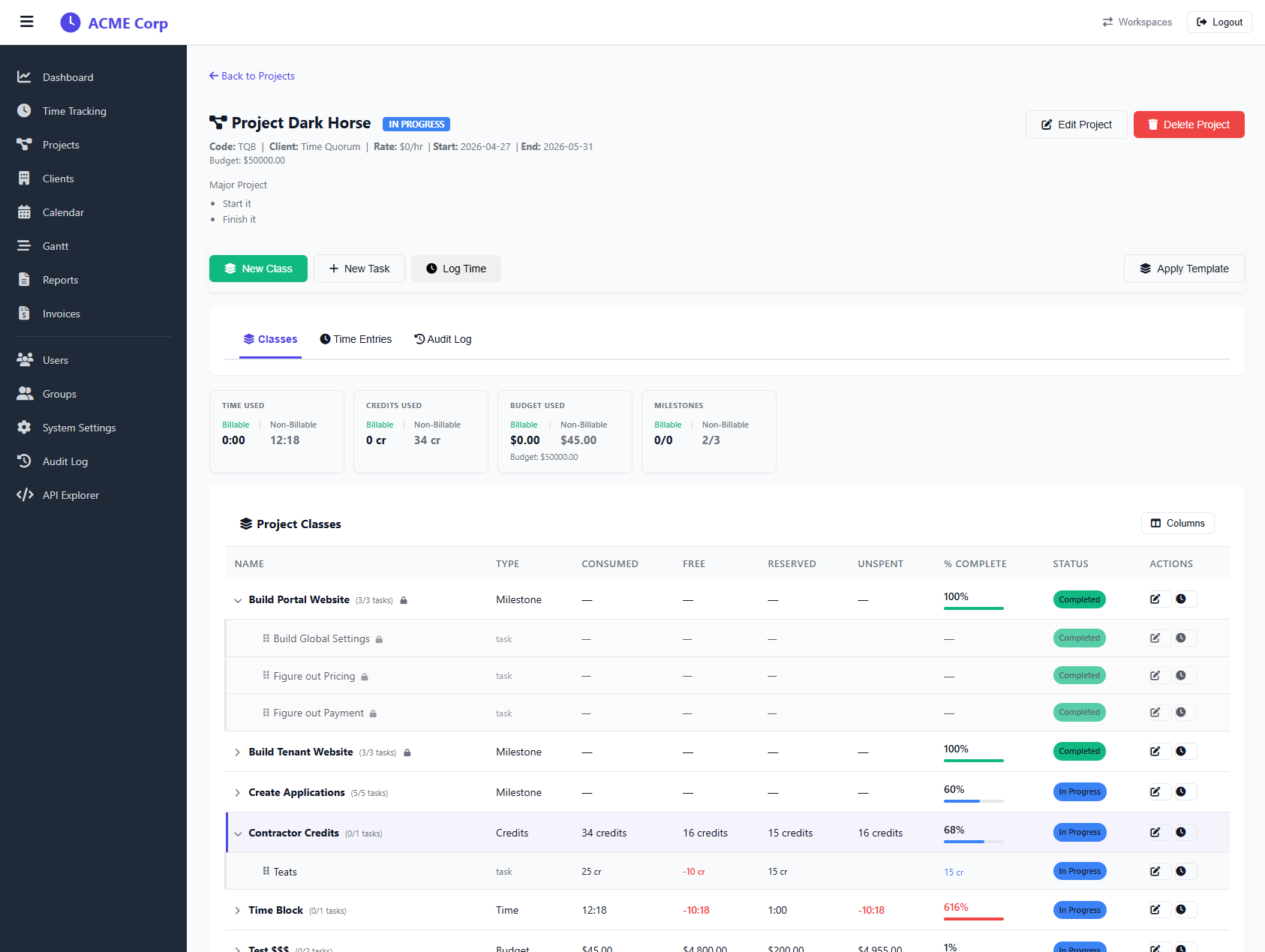
Classes divide a project into phases or disciplines, Design, Development, QA, Client Calls. Use them however your team naturally slices work. They're optional but powerful for reporting.
Tasks
Tasks are where work lives. Each task has a name, optional description, and status. Time entries attach here, giving you granular, task-level visibility into where hours are going.
Roll-up reporting
Every hour logged on a task flows up through class → project → client automatically. See total hours at any level without manual aggregation.
Filter & search
Filter projects by client, status, or team member. Search tasks by name. Navigate large workspaces without getting lost in a flat list of hundreds of items.
Why four levels matters
Two-level tools (most competitors)
- Project → Task only
- No way to group tasks by phase or discipline
- Reports show flat task lists, impossible to read at scale
- Billing rollup requires manual spreadsheet work
- Works for solo freelancers, breaks for teams
TimeQuorum four-level hierarchy
- Client → Project → Class → Task
- Group tasks by phase, discipline, or sprint
- Reports are readable at any level of detail
- Billing rolls up to client automatically
- Scales from a solo consultant to a 50-person agency
See your project structure in action
Get organized from day one
Set up your workspace in two minutes, free to start.
Create free workspace