Reporting
Built-in reports. Filter by user, group, client, or date range. Know exactly where your team's time is going, and what it's worth.
Start free, 5 personal reports includedTime by Client & Project
See total hours logged per client, broken down by project. Know at a glance which clients are consuming the most resource, and which are most profitable.
Billable vs Non-Billable
Split every hour into billable and internal categories. Understand your overhead ratio and identify projects where non-billable time is creeping up.
Team Velocity & Utilization
Track how much time each team member is logging against targets. Spot over-allocated and under-utilized members before it becomes a problem.
Invoice Aging
See every outstanding invoice and how long it's been unpaid. Stop chasing payments manually, the aging report tells you exactly where to follow up.
Client Revenue Summary
Roll up billable hours × rate into revenue per client for any date range. Build your monthly or quarterly revenue picture without touching a spreadsheet.
Audit Activity Log
Every action in the system, who created what, when, and from where. Full tamper-resistant audit trail for compliance and accountability.
All report types, built in
Time reports
Time by Client · Time by Project · Time by User · My Time · Billable vs Non-Billable · Credit Consumption
Team reports
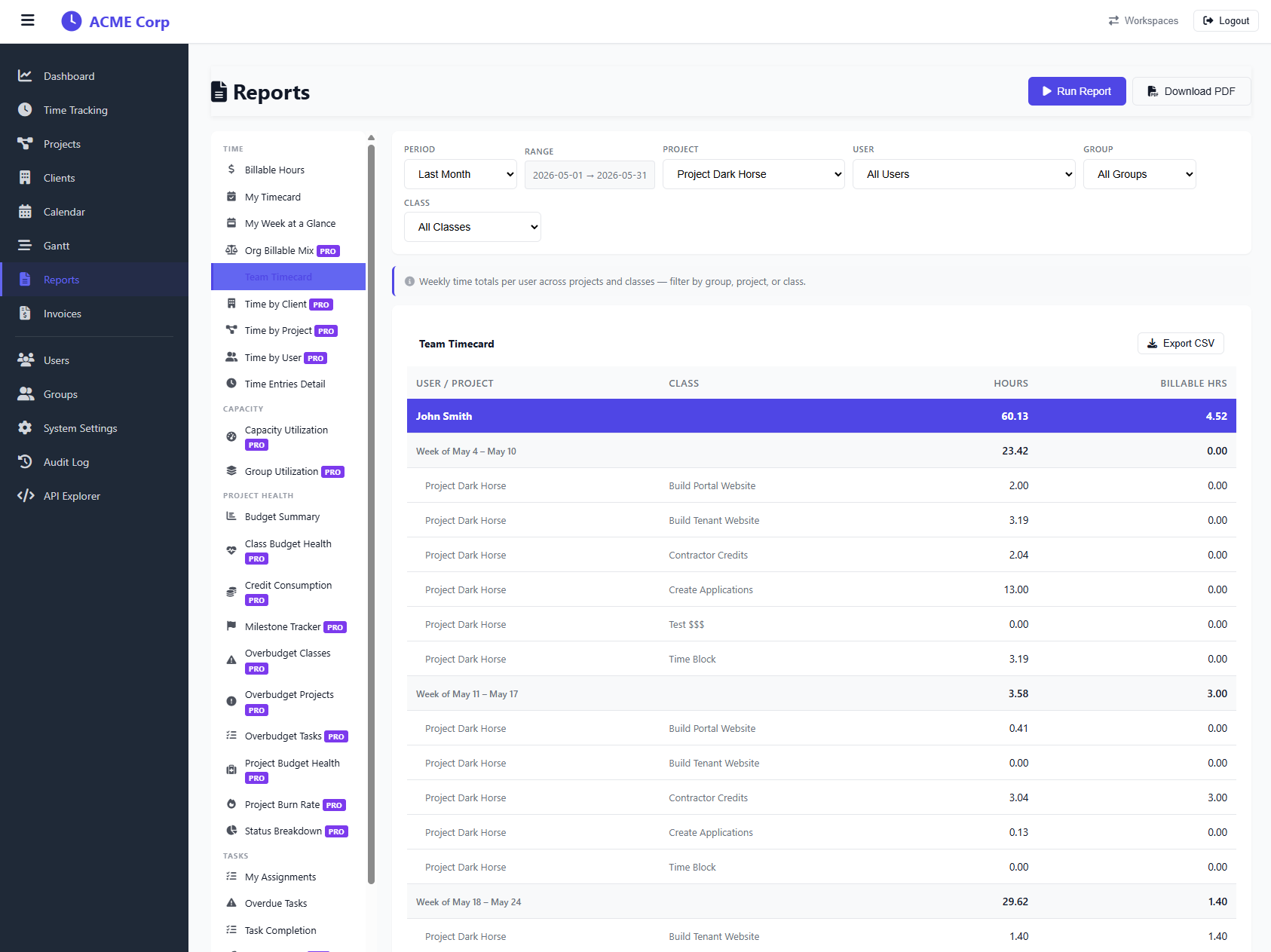
Team Velocity · Group Utilization · User Capacity Utilization · Overdue Tasks · Milestone Progress
Business reports
Client Revenue Summary · Invoice Aging · Project Budget Health · Audit Activity Log
What the reports look like
Stop guessing. Start reporting.
Every report is included on Starter and above. Set up your workspace in two minutes.
Start 30-day trial