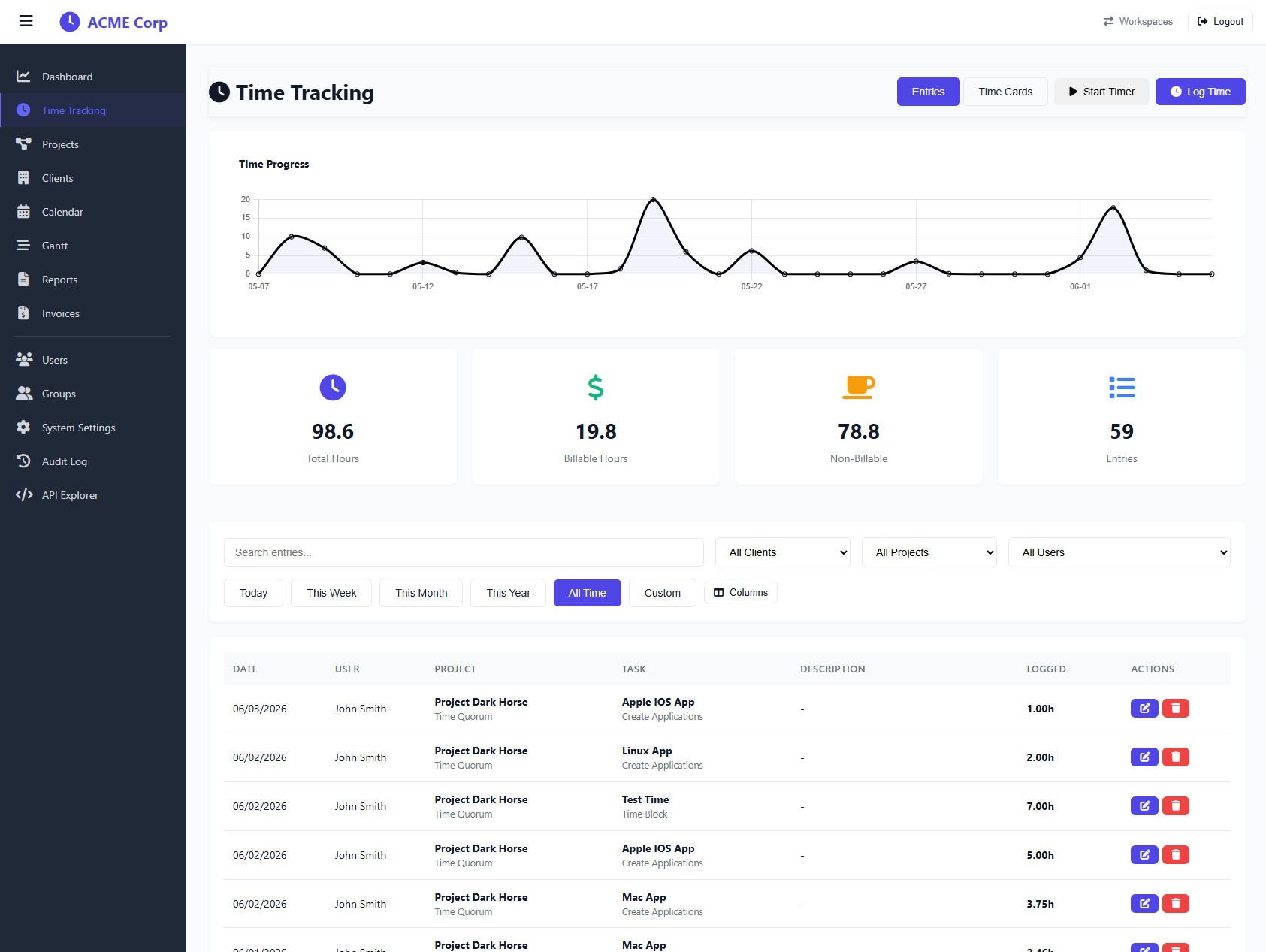
Time Entries
Every minute of work, accounted for. Log time the way your team actually works, quickly, accurately, and without friction.
Start tracking freeLog against any task
Time entries attach directly to a task within a project class. Select the client, project, class, and task from dropdowns, no free-text guessing that creates report chaos later.
Billable & non-billable
Mark each entry as billable or internal. Filter your reports by billable hours to know exactly what to invoice, and what's overhead.
Edit after the fact
Forgot to stop the clock? Logged to the wrong project? No problem. Edit start time, end time, duration, and notes at any point. Entries keep a full history.
Notes & context
Attach a note to every entry describing what was done. When invoicing time comes around, you'll have the detail to back up every line item.
Real-time totals
Hours roll up instantly, per task, per project, per client. No waiting for reports to refresh. Your dashboard reflects the truth as of the last entry.
Per-user tracking
Each team member logs their own time. Admins and owners can view and filter by user across any project, full visibility without micromanagement.
How time entry works
Open a project
Navigate to the project you're working on. Tasks are organized into classes so you can drill straight to what's relevant.
Select a task & log time
Pick the task, enter your hours (or use start/end times), add a note, and mark billable. Done in under 10 seconds.
Review & report
Totals update immediately. Pull up a client view to see all billable hours ready for invoicing.
Log and track time across every project
Stop losing track of your time
Set up your workspace in two minutes, free to start.
Create free workspace